
Orrerix documentation
Define the vision. Walk away. Come back to shipped software.
Orrerix runs fleets of AI coding agents unsupervised, on real software discipline: review gates and green CI before anything merges, work tracked on GitHub and a live task board, your own CLIs and custom workflows — agents follow the process, not the other way around.
Get started Download the latest release
The name comes from the orrery: a desk-sized geared model of the solar system where every planet and moon runs its own track at its own period, and the whole model stays in phase because one mechanism drives all of it — like the Whipple Museum’s Grand Orrery, George Adams, London, c. 1750. Here it is a matrix of terminal panes, each carrying an agent (or just a shell), with one orchestrator holding them in phase.
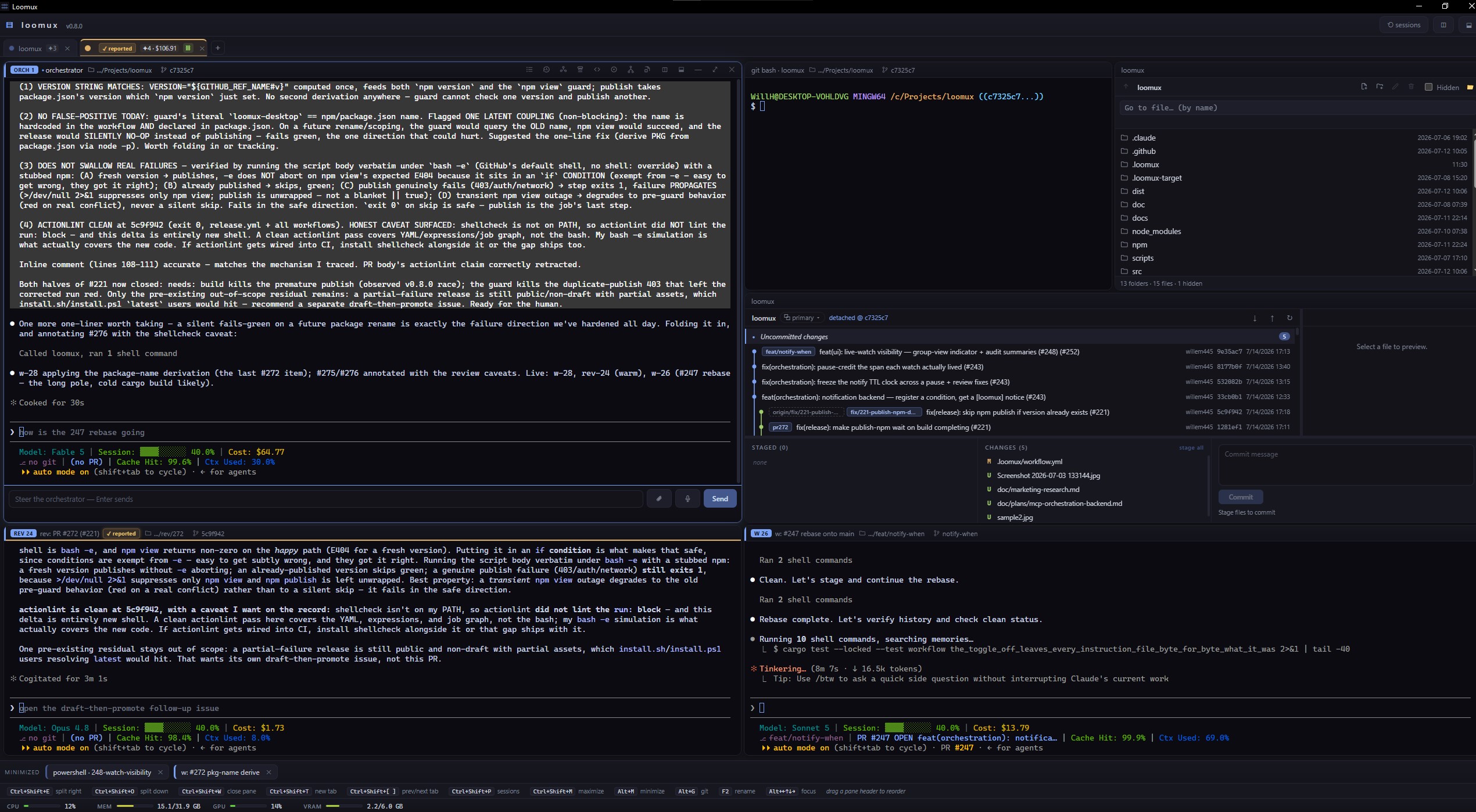
Orrerix gives you Windows Terminal–class smoothness with the multiplexing features it lacks: instant matrix splits, nameable panes, a native session browser that restores Claude Code, GitHub Copilot CLI, and OpenCode sessions straight into a pane, and — the headline feature — a built-in orchestrator/worker workflow for running a small fleet of AI agents, each in its own visible pane, that you gatekeep only at review and merge.
What’s here
- Getting started — install, first launch, first agent pane.
- Core concepts — panes, the split grid, and the full keyboard-shortcut table.
- Orchestration guide — agent groups, the task board, and the
agent-ready/agent-investigationlabel handshake. - Autonomous & supervised modes — the idle-tick autonomous mode, the token budget, auto-merge / auto-release, and supervised dangerous mode.
- Feature pages — git view, GitHub issues view, voice prompts, steering & attachments, the session browser & editor launch, the side dock, and the to-do pane.
- Troubleshooting — the classics: whisper DLLs,
ghauth, mic permission, disk.
For contributors
This site is the user guide. If you want to build on orrerix, the developer docs stay in the repository:
README.md— the pitch, the stack, and the build/run commands.docs/design/architecture.md— the source tree, module by module, and the extension seams.CLAUDE.md— the hard constraints and code conventions for working in this codebase.docs/design/— per-feature design notes (why things are built the way they are).
This documentation describes only what ships on
maintoday. Where a feature is still in flight, the page says so rather than describing something that isn’t there yet.